How to Rank Higher on Google Maps: A Practical Guide for Local Businesses
What actually moves a business into the Google Maps top 3, and the order to work on it.
- Google ranks Maps results on relevance, distance and prominence.
- Relevance is the fastest lever: categories, services and description.
- Prominence builds over time through reviews, links and mentions.
- Your website supports your Maps rankings, especially in competitive markets.
Most customers pick a local business from the top three results on Google Maps. If you’re in position seven, you’re mostly invisible. This guide explains what decides Maps rankings and the practical steps that move a business up, in the order we work on them.
How Google decides Maps rankings
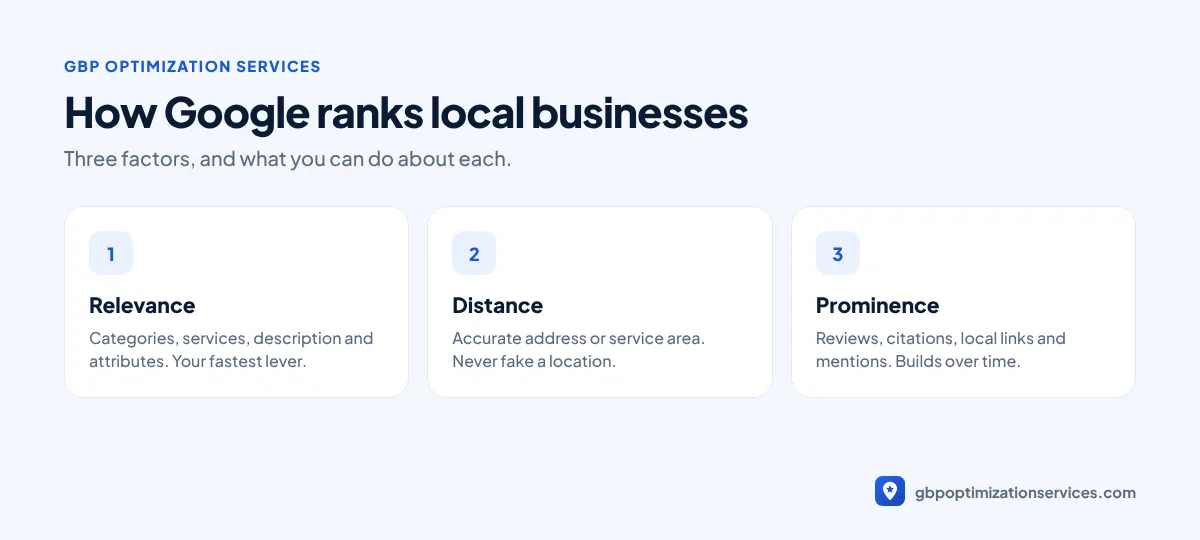
Google says local results are based mainly on three factors (Google Business Profile Help):
| Factor | What it means | How much you control it |
|---|---|---|
| Relevance | How well your profile matches the search | High |
| Distance | How far you are from the searcher | Very low |
| Prominence | How well known and trusted your business is | Medium, builds over time |
Google also states there’s no way to request or pay for a better local ranking. Rankings are earned through these three factors.
Step 1: Fix relevance first
Relevance is where most businesses lose rankings, and it’s the fastest to improve.
- Primary category: choose the most specific category for your main service. A dentist should be Dentist, not Health consultant. Check what the top three competitors use.
- Secondary categories: add only those you genuinely offer.
- Services: list every service, each with a short description.
- Description: explain what you do, where and for whom, in plain sentences.
- Attributes and products: fill in everything that applies.
Our GBP optimization checklist covers every setting in detail.
Step 2: Make distance work for you
You can’t move your business, but you can stop working against yourself:
- Storefront businesses should show an accurate address and pin location.
- Service-area businesses should hide the address and list the real areas they serve.
- Never create fake addresses in other cities to appear closer. It’s against Google’s guidelines and a leading cause of suspension.
Expect to rank best close to your location. Ranking well across a whole city takes strong relevance and prominence.
Step 3: Build prominence
Prominence grows from signals across the web. Google mentions reviews and links from other websites as part of it.
- Reviews: a steady flow of genuine reviews, with replies to all of them. See how to get more Google reviews.
- Citations: consistent name, address and phone on key directories.
- Local links: suppliers, associations, sponsorships and local news.
- Brand mentions: being talked about online, even without a link.

Get a free Google Business Profile audit, reviewed personally by Arbaz. Usually within 24 hours.
Step 4: Strengthen your website
Your website is one of the strongest signals behind your profile. In competitive markets, it often decides who makes the top three.
- A dedicated page for each main service.
- Your name, address and phone on every page, matching your profile.
- LocalBusiness schema so search engines read your details correctly.
- Fast loading and a clear click-to-call button on mobile.
- Links between your service pages and your contact page.
Step 5: Keep the profile active
An active profile reassures customers and keeps your information fresh.
| Activity | Suggested frequency |
|---|---|
| Google posts | Weekly or every two weeks |
| New photos | Monthly |
| Review replies | Within a few days |
| Check for unwanted edits | Monthly |
| Review performance data | Monthly |
What doesn’t work
- Keyword-stuffed business names. They may work briefly, then risk suspension.
- Fake reviews. Google removes them and can restrict your profile.
- Paying for “guaranteed” rankings. Nobody can guarantee a position on Maps.
- Creating multiple profiles for the same business.
A 30-day plan to climb the Map Pack
| Week | Focus | Tasks |
|---|---|---|
| 1 | Foundations | Verify the profile, fix the name, confirm address or service area, match NAP on your website |
| 2 | Relevance | Primary and secondary categories, full services list, description, attributes |
| 3 | Prominence | Set up a review link, ask recent customers, reply to every review, fix major citations |
| 4 | Activity and website | First posts and photos, add or improve service pages, add LocalBusiness schema |
After the first month, keep a steady rhythm: weekly review replies and posts, monthly photos and a monthly check of rankings and calls.
How to track your rankings properly
Rankings on Maps change depending on where the searcher is standing. Checking from your own office only shows one point. A better approach:
- Search from different parts of your service area, or use a grid-based rank tracker.
- Track a small set of money keywords, such as your main service plus “near me”.
- Compare against the same three competitors every month.
- Read rankings alongside calls, direction requests and website clicks in your Performance report. More calls is the real goal.
How long it takes
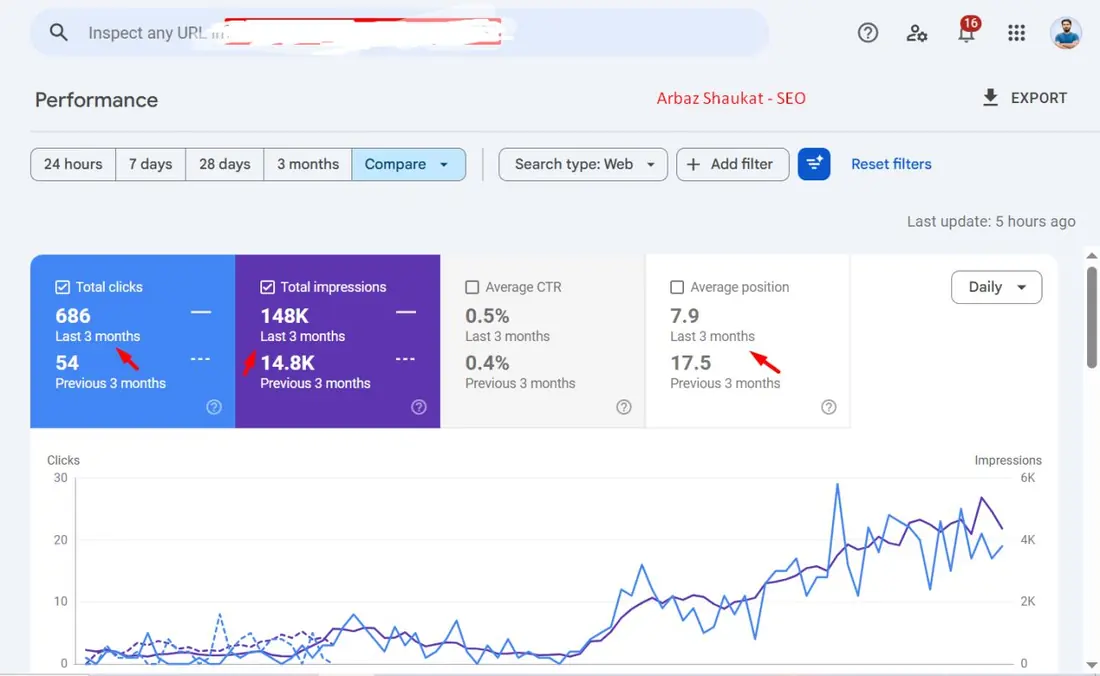
Fixing relevance can move rankings within weeks in many markets. Prominence builds over months. In our experience, businesses that combine a strong profile with a supporting website see the most durable results. One project grew from 54 to 686 Google clicks in three months after both were optimized together.
If you want this done for you, our local SEO services cover the profile and website together, and our GBP optimization package covers the profile alone.
Frequently asked questions
Common reasons are an unverified or suspended profile, the wrong primary category, an incomplete profile, or strong competitors closer to the searcher.
Posts mainly help customers and show your profile is active. Categories, services, reviews and your website have a bigger effect on rankings.
It’s harder, because distance is a ranking factor. Strong relevance, reviews and website pages help you compete further out.
There’s no fixed number. Compare yourself with the top three competitors and aim to match or beat their review count and rating over time.
Relevance fixes can show results within weeks. Prominence, such as reviews and links, builds over months.
Many basics can be done in-house. Specialist help is most useful in competitive markets or when the profile has compliance issues.
Arbaz Shaukat
Arbaz has spent more than 7 years ranking local businesses on Google Maps, and now in AI search. He built and refined his own Google Business Profile strategies across industries such as home services, transport and healthcare, and personally plans every client project. Results from his work include 54 to 686 Google clicks in three months and a 150% increase in calls for a private taxi service.
Ready to be the business customers pick first?
Get a free GBP audit, reviewed personally, usually within 24 hours.